Hong Kong Mahjong on iPhone Duo
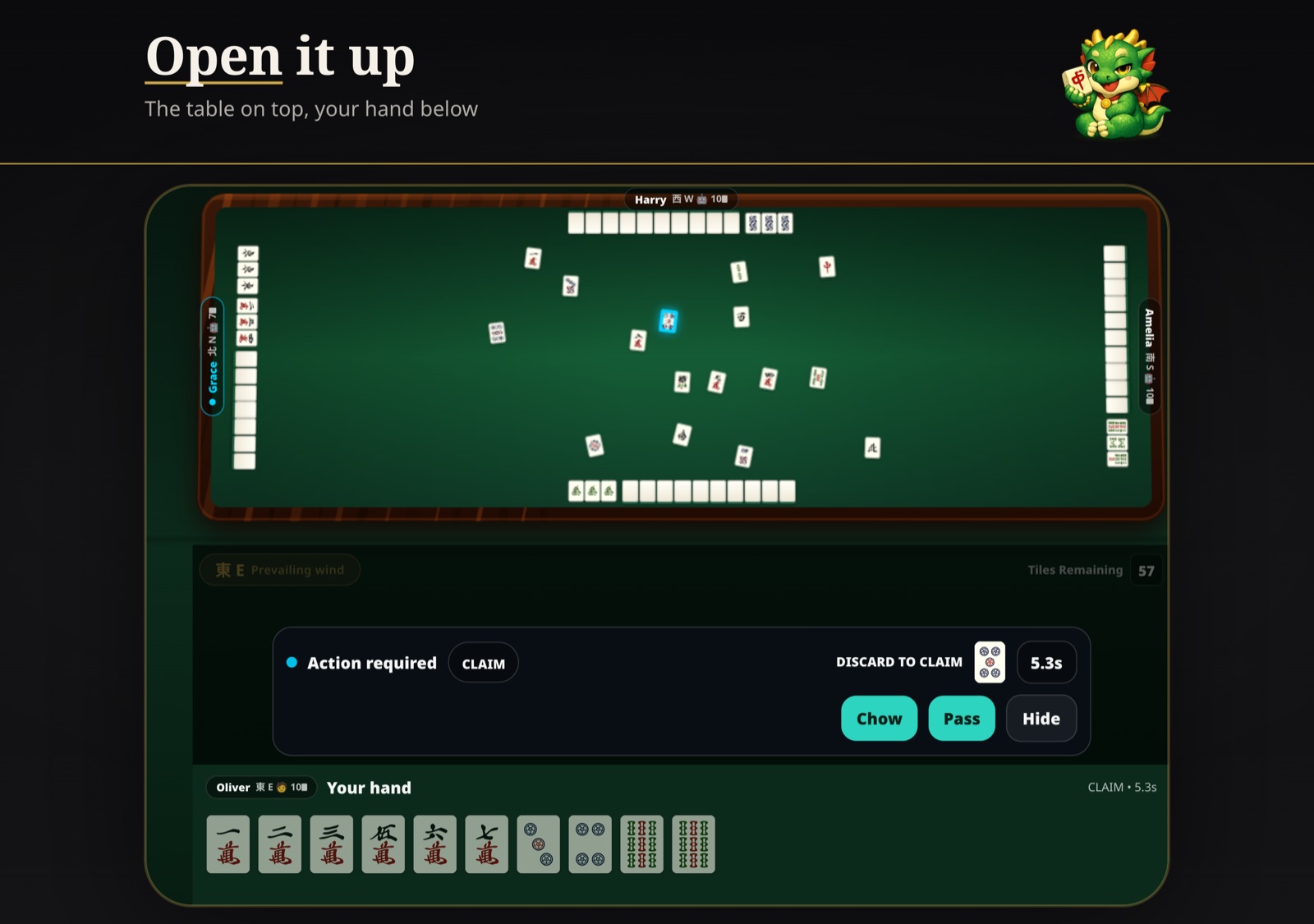
Hong Kong Mahjong supports iPhone Duo from version 4.0.0 of the iOS app. Closed, you play on the outer display just like on any iPhone. Open it, and the same game moves to the large inner display. Stand it half open, and the table goes on the upper screen while your hand, the call prompts and the status bar go on the lower one — like looking across a real mahjong table at the tiles in front of you.
How the game adapts to each iPhone Duo position
| iPhone Duo | Hong Kong Mahjong 4.0.0 |
|---|---|
| Closed (outer display) | The familiar one-handed iPhone layout |
| Fully open (inner display) | The same table with more room; tiles and text keep their iPhone size |
| Half open, fold side to side | Table on the upper screen; status, call prompts and your hand on the lower screen |
| Half open, fold top to bottom | Table on one side; your hand on the other |
| Chow or kong choice | Shown on the lower screen, next to your hand |
| Results, pause and between-hands screens | Span both screens |
Half open: the table on top, your hand below
Mahjong is a game of watching the table while managing your own tiles, and a half-open iPhone Duo splits the game exactly along that line. When the fold runs side to side, the upper screen shows the whole table — every player's discards and melds — and the lower screen holds everything you touch: the round wind and tiles remaining, the Action required prompt with its countdown, and your hand. When you can claim a discard with more than one chow or kong, the choice appears on the lower screen too, so you never reach across the crease mid-call.
When the fold runs top to bottom, the table stays on one page and your hand sits at the bottom of the other. In both positions the hand result with its faan breakdown, the pause screen and the screen between hands use both screens, because there is nothing to tap on the table while they are shown.
Open: the big inner display
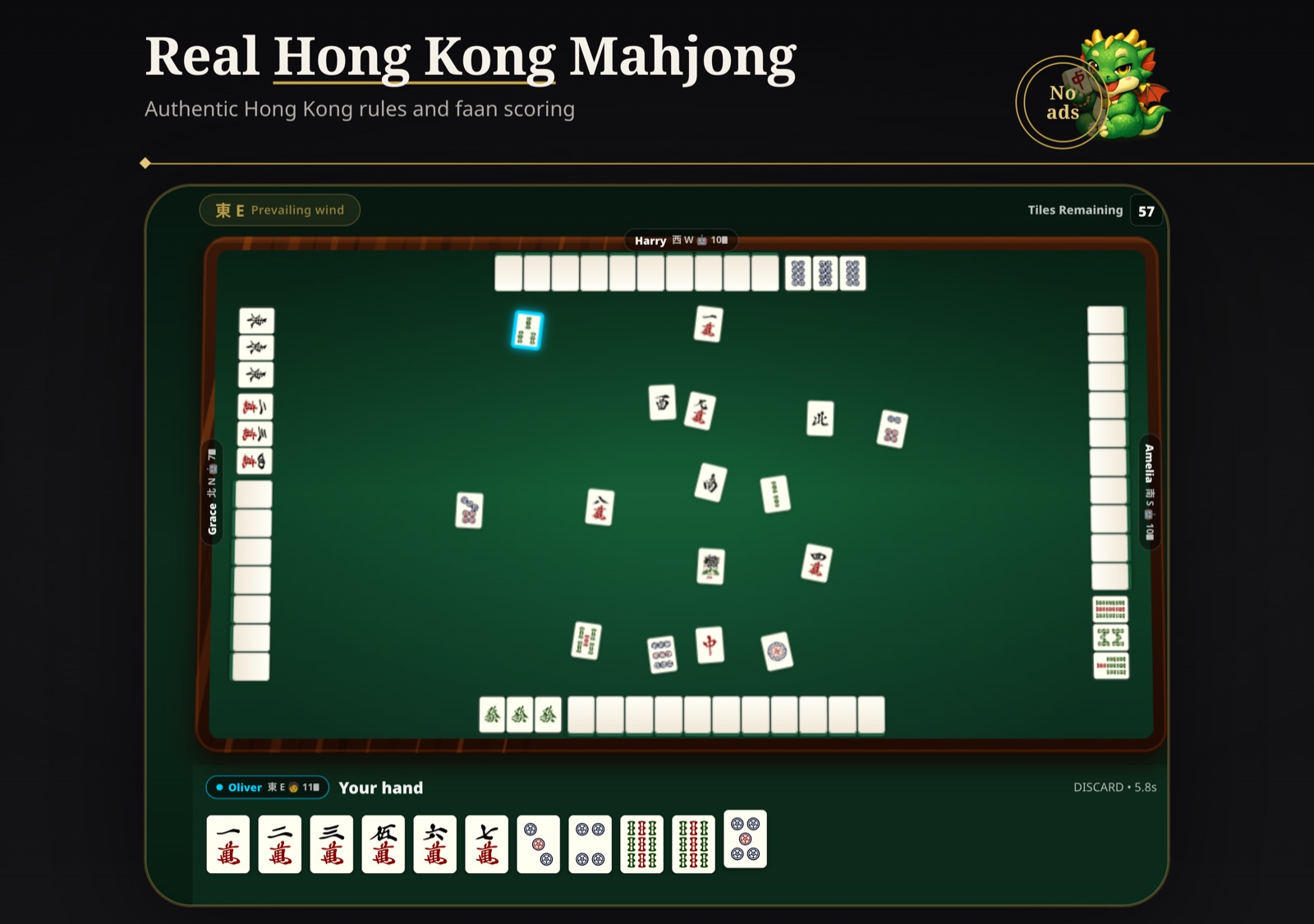
Fully open, the inner display shows the complete 3D table with room to spare. Tiles and text keep the size you know from iPhone rather than being blown up to tablet size, so the extra space goes to the table, not to bigger buttons. In the list view, your whole hand is always shown expanded, with no scrolling.
Fold and unfold mid-game
You can open, close or half-fold iPhone Duo at any point in a game. The game follows the device: the layout changes, the hand does not. Online games, Play with Friends Nearby, offline games against AI opponents, training mode, tournaments and Pro Table (高手場) all work this way.
Getting iPhone Duo support
- Install Hong Kong Mahjong from the App Store, or update it to version 4.0.0 or later.
- Start any game — the app detects iPhone Duo by itself; there is no setting to switch on.
- Fold, unfold or stand the device half open whenever you like.
iPhone Duo support is part of the regular update and costs nothing extra. On every other iPhone and on iPad the app looks and plays exactly as before.
Frequently asked questions
Does Hong Kong Mahjong work on iPhone Duo?
Yes. Version 4.0.0 of the Hong Kong Mahjong iOS app adds iPhone Duo support: the game uses both the outer display and the large inner display, and it adapts the table when iPhone Duo is half open. Update the app from the App Store to version 4.0.0 or later.
Can I play mahjong with iPhone Duo half open?
Yes. With the fold running side to side, the mahjong table sits on the upper screen and the status bar, call prompts and your hand sit on the lower screen. With the fold running top to bottom, the table is on one side and your hand is on the other. Nothing important is placed across the crease.
What happens if I open or close iPhone Duo during a game?
The hand carries on. The layout switches between the outer display, the inner display and the half-open layout as you fold, and the game itself keeps its state — you do not have to restart or rejoin.
Are the tiles bigger on the inner display?
No. Tiles and text keep the same size as on any other iPhone, so the game reads the same whether iPhone Duo is open or closed. The larger inner display gives the table more space instead.
Which game modes support iPhone Duo?
Every game table in the app: online games with friends or other players, Play with Friends Nearby, offline games against AI opponents in Airplane Mode, training mode, tournaments and Pro Table (高手場). Both the 3D table and the list view are supported. Menus and settings use the regular layout and are not split across the fold.
Does iPhone Duo support cost extra?
No. iPhone Duo support is part of the regular app update; there is nothing extra to buy. Paid features such as Airplane Mode, AI coaching and premium tile styles work on iPhone Duo exactly as on other iPhones.
Related articles
iPhone is a trademark of Apple Inc. Hong Kong Mahjong is an independent app and is not affiliated with or endorsed by Apple.